Skip to content

cameras

How to Research a Digital Camera Before Buying Using Social Media Data
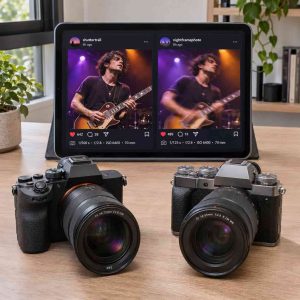
    A camera can look ideal on a spec sheet and still frustrate you when a dancer moves across a dim stage or the battery dies halfway through a shoot. A social media scraper API can help you gather public posts that show how camera owners handle those situations. Look for patterns in what people report when shooting under conditions similar to yours. A concert photographer and a travel vlogger may come to different conclusions about the same camera.

    Build a Shortlist and Search by Model

    Start with two or three cameras and write down what you plan to shoot. Be specific. “Indoor basketball from the bleachers” gives you better search terms than “sports photography.” Use the exact model name, including any generation number, then pair it with terms such as “continuous autofocus,” “battery per game,” or “high ISO.” Try common spelling variations and repeat comparable searches for each model.
    Collect public posts from photography communities, video reviews, and comments where people describe their own experience. For a short list, a spreadsheet and manual searches may be enough. If you use a social media scraper API to organize a larger collection, check that it covers the public sources and fields you need, such as post text, dates, and links. Keep the original links so you can read replies and see whether a follow-up changes the meaning of the post.

    Record the Context Behind Each Claim

    For each useful post, note the camera model, date, topic, and what the person observed. Record the lens, firmware version, and shooting mode when the author mentions them. A photographer who reports missed focus while tracking a dog with a particular lens gives you more to work with than someone who says the autofocus is bad.
    Use roughly the same date range and search effort for every model. Include positive experiences, complaints, and mixed results. Count a reposted clip or several comments repeating the same review as one source. If you find few relevant posts about one camera, mark the evidence as limited. Search results reflect who posts and what gets surfaced, so complaint counts alone tell you little about how often a problem affects owners.

    Look for Autofocus Feedback That Matches Your Subjects

    Separate still-photo autofocus from video autofocus. In photos, look for reports about acquiring focus, tracking a moving subject, and staying on that subject during a burst. In video, note whether focus shifts smoothly or jumps to the background when someone moves out of frame. Search for the subjects you shoot, such as runners, pets, or people facing away from the camera.
    Compare reports that describe similar setups. If several owners say tracking struggles when players cross paths in a dim gym, that pattern deserves attention for indoor sports. A positive report about portraits outdoors may be equally credible and answer a different question. When a post includes a sequence of images or an uninterrupted clip, inspect where the focus actually lands.

    Compare Battery Life in Your Shooting Mode

    Look for posts that describe a full outing or recording session. A count of still photos and a video duration measure different workloads. Note whether the owner used a fresh battery, kept the screen on, reviewed images frequently, or recorded continuously. For video, check whether the session ended because the battery ran down or because the camera stopped recording for another reason.
    Turn owner reports into a practical estimate for your schedule. If you typically record several interviews back to back, look for sessions of similar length and recording settings. If you take occasional photos while traveling, posts about battery drain between shots may tell you more than reports from continuous recording. Compare the complete setup you would carry, including any spare batteries you expect to need.

    Judge Low-Light Performance From Comparable Samples

    Look for sample photos or clips with exposure details. Note the lens aperture, shutter speed, ISO, and whether the creator edited the files. A bright lens or aggressive noise reduction can change how a sample looks. Social media compression can also hide fine detail, so follow links to original files when available.
    Pay attention to subject movement. A sharp night skyline taken from a tripod tells you little about whether you can freeze a musician’s hands in a dark venue. For photos, look at shadow detail, color, and motion blur at settings you could realistically use. For video, examine moving subjects and darker parts of the frame, where noise and lost detail may be easier to see.

    Use the Patterns to Make Your Decision

    Summarize each model in three lines, one each for autofocus, battery life, and low light. Beside every recurring observation, write down the conditions and the number of independent sources that described it. Keep conflicting reports visible. They may point to differences in lenses, settings, or the kind of shooting involved.
    Give the most weight to the issue that would cost you a shot. If several posts point to tracking trouble in the exact conditions you photograph, make that your first test when you rent or try the camera. If the evidence is mixed, recreate the setup you plan to use and compare the results yourself.
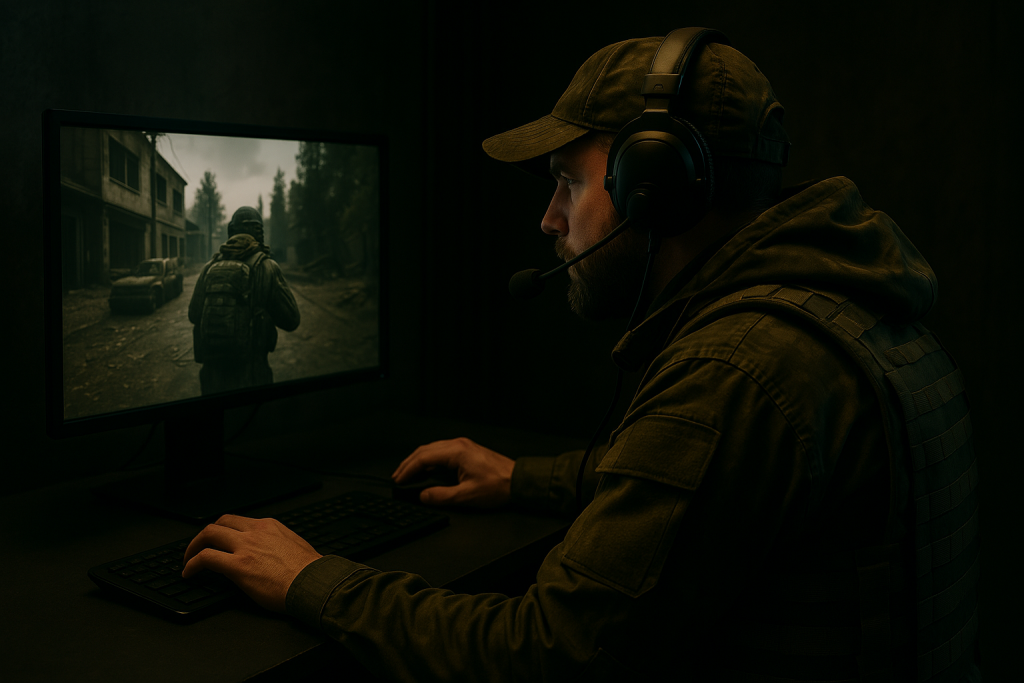

    What a Working Camera System Could Add to EFT’s Immersion

      Escape from Tarkov has always stood out for its brutal realism. It’s not just about looting and shooting—it’s about surviving a gritty, tense, and unpredictable world where every sound matters and every shadow could be a threat. But while the game nails many aspects of immersion, one piece is still missing: a functional in-game camera surveillance system.

      Tarkov’s maps are already filled with security cameras. They’re mounted in stores, hang from ceilings, and overlook loot zones—but they’re just props. Dead eyes on the wall. They add to the atmosphere but do nothing. That’s a missed opportunity. If players could actually use these cameras, it could open up deeper tactical gameplay. Instead of turning to Escape from Tarkov cheats, players could rely on working cameras to gather intel, set traps, or coordinate ambushes in a more strategic and balanced way.

      Surveillance as a Gameplay Mechanic

      Imagine breaching a heavily guarded building on Reserve or Streets of Tarkov. Instead of blindly pushing through hallways, you find the security room and tap into the feed. Suddenly, you’re monitoring enemy movements, watching corners, and planning your next steps in real-time.

      Surveillance becomes a resource—something worth protecting or stealing. But holding the room puts a target on your back. Other players may try to cut off your access. And if you die while glued to the monitor? That moment of distraction could be your last.

      Information is Power

      Asymmetrical knowledge is a core part of Tarkov. The more you know about maps, behavior, and loot spawns, the better your odds. A working camera system fits right in. It wouldn’t guarantee success—it would just offer more intel.

      Cameras could have blind spots, limited view angles, or be disabled by gunfire or power outages. Watching a feed could help—but it could also leave you exposed. It’s one more high-risk, high-reward decision that adds depth without breaking balance.

      Tension and Atmosphere

      More than utility, working cameras could add to the psychological tension. You’re creeping down a hallway and notice a red blinking light. Is someone watching? Do you shoot the camera? Stay out of sight? Or just ignore it and hope no one’s on the other side?

      This kind of paranoia is what makes Tarkov feel so intense. The threat of being watched—even if you’re not—would crank up the suspense in every match.

      Narrative and Roleplay Potential

      Surveillance could also be used for storytelling. Scavs might control a surveillance hub. PMCs could be tasked with hacking terminals or retrieving camera footage. Organized squads could assign one player to overwatch—feeding intel to teammates in the field.

      This turns Tarkov into more of a tactical simulator, with defined roles and more structured teamplay—not just a solo loot grind.

      Technical and Design Challenges

      Of course, implementing this isn’t simple. Tarkov is already demanding. Adding live video feeds raises questions about performance, fairness, and server load. The system would need to be limited and carefully integrated to avoid breaking the flow or giving unfair advantages.

      Still, Battlestate Games has already tackled complex systems like ballistics, health, and audio. A well-executed surveillance feature would be a natural progression in their pursuit of hyper-realism.

      A Tool, Not a Crutch

      This wouldn’t make the game easier or more casual. It would simply add another tool—just like thermal scopes, night vision, or rare keys. Players who invest the time to understand it would benefit. Those who ignore it wouldn’t be penalized—just potentially outplayed.

      And like everything in Tarkov, using it well would be about choices under pressure.

      Final Thoughts

      Escape from Tarkov is all about tension, tactics, and the unknown. A functional camera system would raise all of those stakes. It would reward preparation, add new gameplay layers, and make every map feel more alive—and more dangerous.

      Monthly Instagram Contests to Showcase Your Camera & Engage Enthusiasts

        If you’re looking for a fun, engaging way to connect with the photography community on Instagram while promoting your camera’s features, hosting a monthly photography challenge or contest is the way to go. These challenges not only spotlight your camera’s unique capabilities but also offer a creative outlet for users to try new things and connect with other enthusiasts.

        Here’s everything you need to know about launching your monthly photography challenge on Instagram!

        Why Instagram Photography Challenges?

        Instagram is a photographer’s playground, and a photography challenge taps into that creative energy. By incorporating SMM marketing strategies, such as launching a monthly contest, you’re inviting photographers to experiment, capture new perspectives, and show off their best shots to the world. Plus, these challenges allow followers to bond over a shared theme, sparking excitement in your community.

        For brands, it’s a win-win. Not only do challenges get people talking and posting about your camera, but they also fill your feed with fresh content that genuinely reflects the camera’s potential. Imagine seeing various incredible images shot with the same camera model— a powerful statement on what the camera can do.

        Step 1: Choose a Fun Theme for Each Month

        Picking a theme is half the fun! Monthly themes give participants something new to try and encourage them to explore different types of photography. Themes can range from classic to quirky; it all depends on the vibe you want for your brand. Here are a few ideas to get started:

        • January: New Beginnings – Capture moments that symbolize a fresh start, like a sunrise or a new place.
        • February: Love in All Forms – Show love through images, whether people, places, pets, or passions.
        • March: Shadows and Light – Experiment with lighting and shadows to create captivating contrasts.
        • April: Blossom and Bloom – Celebrate spring with floral photography or other signs of growth.
        • May: Into the Wild – Nature photography, from landscapes to close-ups of flora and fauna.
        • June: Cityscapes – Capture the hustle and charm of urban life.
        • July: Reflections – Look for reflections in mirrors, water, or glass for a creative twist.
        • August: Summer Vibes – Anything that captures the essence of summer, from beach scenes to ice cream cones.
        • September: Textures – Zoom in on different textures, from fabrics to nature.
        • October: Spooky Season – Showcase Halloween-inspired photography with a touch of mystery.
        • November: Gratitude – Capture moments or things you’re thankful for.
        • December: Winter Wonderland – Embrace the festive, cozy vibes of winter.

        These themes offer room for creativity and encourage participants to get out of their comfort zones and try new things with their cameras.

        Step 2: Announce the Challenge on Instagram

        To kick off each month, post an announcement explaining the theme and any rules you’d like participants to follow. Mention the hashtag for the challenge—something unique to your brand like #CaptureWith[BrandName] or #CameraModelChallenge. Including the model name is a great idea because it lets users highlight their camera while attracting potential new customers interested in that specific model.

        Make sure your post is visually appealing to catch people’s attention as they scroll! A graphic or video introducing the theme, plus examples or inspiration shots, can go a long way in attracting entries.

        Step 3: Encourage Engagement with Tips and Examples

        Throughout the month, keep the momentum going by sharing tips, tricks, or inspiration that aligns with the theme. For example, if the theme is Shadows and Light, post a tutorial on using natural light to create dramatic shadows, or repost shots from participants who’ve nailed the theme.

        This not only keeps your followers engaged but also shows off the camera’s features, giving potential customers a sneak peek into what it can do.

        Step 4: Repost Standout Entries and Encourage Voting

        Reposting your favorite shots on your stories or feed is an easy way to give participants a shoutout while also inspiring others to join. You could even host a voting round towards the end of the month by sharing the top entries in your stories and letting your followers choose the winner. This creates an extra layer of engagement, and people love seeing their work recognized!

        If voting is not your style, selecting a “challenge champion” each month based on creativity or alignment with the theme works well too. Don’t forget to congratulate the winner in a special post or story!

        Step 5: Offer Prizes or Features to Winners

        Adding a prize can ramp up excitement. While the prize doesn’t have to be extravagant, even something like a small accessory, a gift card, or a feature on your page can motivate people to participate. You could even offer a “grand prize” where one lucky winner gets a big reward at the end of the year for consistently participating.

        If prizes aren’t an option, a feature on your page can still be an excellent motivator. Highlighting winners or standout shots monthly builds credibility for the photographers and fosters a sense of community.

        Step 6: Showcase a “Year in Review”

        After a year of monthly challenges, you’ll have a ton of stunning user-generated content that demonstrates your camera’s range and versatility. A “Year in Review” post, video, or story highlights reel can be a powerful way to close out the year. It’s like a virtual photo album showcasing your community’s creativity and your camera’s capabilities in action.

        Tips for Success

        • Stay Consistent: Consistency builds anticipation. If people know they can look forward to a new challenge every month, they’re more likely to follow and participate.
        • Engage Actively: Comment on entries, answer questions, and cheer people on to create a friendly and welcoming atmosphere.
        • Be Flexible: Photography is all about creativity, so allow some flexibility with themes and encourage participants to interpret them in their unique ways.

        Monthly Instagram photography challenges can transform your brand’s profile into a hub of creativity, drawing in both beginners and seasoned photographers. These contests are a fun, rewarding way to foster a vibrant community, showcase your camera’s potential, and spread the joy of photography. So, ready to launch your first challenge? Happy snapping!

        Our website doesn't utilize any cookie but it does collect some basic data. Read more: Privacy Policy.
        𐌢