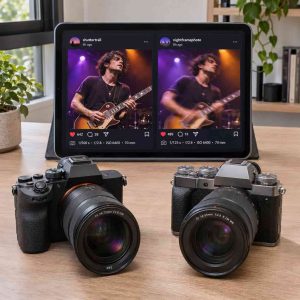
 A camera can look ideal on a spec sheet and still frustrate you when a dancer moves across a dim stage or the battery dies halfway through a shoot. A social media scraper API can help you gather public posts that show how camera owners handle those situations. Look for patterns in what people report when shooting under conditions similar to yours. A concert photographer and a travel vlogger may come to different conclusions about the same camera.
Build a Shortlist and Search by Model
Start with two or three cameras and write down what you plan to shoot. Be specific. “Indoor basketball from the bleachers” gives you better search terms than “sports photography.” Use the exact model name, including any generation number, then pair it with terms such as “continuous autofocus,” “battery per game,” or “high ISO.” Try common spelling variations and repeat comparable searches for each model.
Collect public posts from photography communities, video reviews, and comments where people describe their own experience. For a short list, a spreadsheet and manual searches may be enough. If you use a social media scraper API to organize a larger collection, check that it covers the public sources and fields you need, such as post text, dates, and links. Keep the original links so you can read replies and see whether a follow-up changes the meaning of the post.
Record the Context Behind Each Claim
For each useful post, note the camera model, date, topic, and what the person observed. Record the lens, firmware version, and shooting mode when the author mentions them. A photographer who reports missed focus while tracking a dog with a particular lens gives you more to work with than someone who says the autofocus is bad.
Use roughly the same date range and search effort for every model. Include positive experiences, complaints, and mixed results. Count a reposted clip or several comments repeating the same review as one source. If you find few relevant posts about one camera, mark the evidence as limited. Search results reflect who posts and what gets surfaced, so complaint counts alone tell you little about how often a problem affects owners.
Look for Autofocus Feedback That Matches Your Subjects
Separate still-photo autofocus from video autofocus. In photos, look for reports about acquiring focus, tracking a moving subject, and staying on that subject during a burst. In video, note whether focus shifts smoothly or jumps to the background when someone moves out of frame. Search for the subjects you shoot, such as runners, pets, or people facing away from the camera.
Compare reports that describe similar setups. If several owners say tracking struggles when players cross paths in a dim gym, that pattern deserves attention for indoor sports. A positive report about portraits outdoors may be equally credible and answer a different question. When a post includes a sequence of images or an uninterrupted clip, inspect where the focus actually lands.
Compare Battery Life in Your Shooting Mode
Look for posts that describe a full outing or recording session. A count of still photos and a video duration measure different workloads. Note whether the owner used a fresh battery, kept the screen on, reviewed images frequently, or recorded continuously. For video, check whether the session ended because the battery ran down or because the camera stopped recording for another reason.
Turn owner reports into a practical estimate for your schedule. If you typically record several interviews back to back, look for sessions of similar length and recording settings. If you take occasional photos while traveling, posts about battery drain between shots may tell you more than reports from continuous recording. Compare the complete setup you would carry, including any spare batteries you expect to need.
Judge Low-Light Performance From Comparable Samples
Look for sample photos or clips with exposure details. Note the lens aperture, shutter speed, ISO, and whether the creator edited the files. A bright lens or aggressive noise reduction can change how a sample looks. Social media compression can also hide fine detail, so follow links to original files when available.
Pay attention to subject movement. A sharp night skyline taken from a tripod tells you little about whether you can freeze a musician’s hands in a dark venue. For photos, look at shadow detail, color, and motion blur at settings you could realistically use. For video, examine moving subjects and darker parts of the frame, where noise and lost detail may be easier to see.
Use the Patterns to Make Your Decision
Summarize each model in three lines, one each for autofocus, battery life, and low light. Beside every recurring observation, write down the conditions and the number of independent sources that described it. Keep conflicting reports visible. They may point to differences in lenses, settings, or the kind of shooting involved.
Give the most weight to the issue that would cost you a shot. If several posts point to tracking trouble in the exact conditions you photograph, make that your first test when you rent or try the camera. If the evidence is mixed, recreate the setup you plan to use and compare the results yourself.